Apple’s fixed internal storage configurations have pushed users toward treating external SSDs as semi-permanent extensions of their systems rather than occasional backup tools.
The external drive has shifted from backup device to active workspace, plugged in more often than not because the MacBook’s internal capacity ran out years ago. This wasn’t the intended use case. External storage was supposed to be for archival, for moving large files between machines, for redundancy. But when a MacBook Air ships with 256GB and the user’s photo library alone exceeds 200GB, the external drive becomes infrastructure rather than accessory.
The friction shows up in daily behavior. The drive needs to be connected before certain applications will launch properly, because those applications store data on external volumes. Projects that span multiple sessions require remembering to plug in the drive first, or facing error messages about missing files. The MacBook is technically portable, but the effective working configuration includes a small aluminum enclosure that must travel with it, tethered by a USB-C cable that’s just short enough to be annoying.
Apple’s storage upgrade pricing has remained steep enough that many users opt for base configurations and plan to solve capacity problems externally. A 512GB to 1TB internal upgrade at purchase might cost several hundred dollars. A 1TB external SSD, by comparison, often costs less than half that. The math is straightforward, even if the resulting user experience isn’t. The external solution saves money but introduces complexity that the internal upgrade would have avoided entirely.
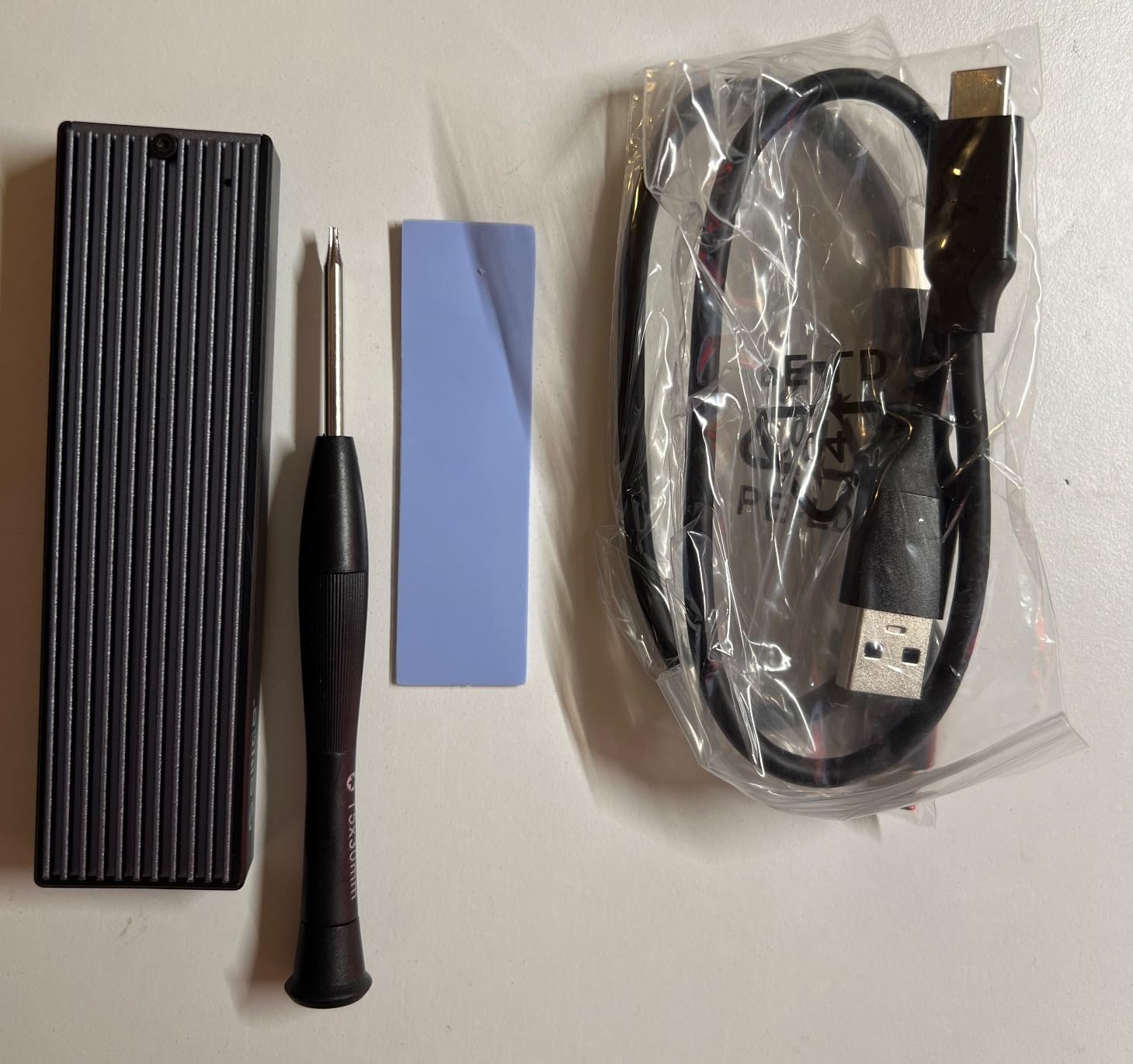
The enclosures themselves have become a small ecosystem. M.2 drives—the bare SSDs typically used inside laptops—require a housing to connect via USB. These enclosures range from basic plastic shells to machined aluminum cases with heat dissipation features. Users who started with the cheapest option sometimes upgrade to better-built enclosures when they realize the drive will be connected for hours daily, not minutes occasionally. The external drive stops being temporary infrastructure and becomes permanent.
File management across two volumes adds cognitive overhead. Some files live on the internal drive. Others are on the external. Which is which depends on decisions made weeks or months ago that may no longer be obvious. macOS doesn’t make this distinction invisible—external volumes appear separately in Finder, and applications don’t always handle split storage gracefully. Users develop habits around where to save what, but those habits require maintenance and occasionally break down.
The speed difference between internal and external storage has narrowed with USB 3.1 and Thunderbolt, but it hasn’t disappeared entirely. An M-series MacBook with an integrated SSD reads and writes faster than most external drives, even high-quality ones in well-designed enclosures. The gap matters less for archived files than for active workspaces. Video editors, photographers, and developers working off external drives notice the lag, small but persistent, that wouldn’t exist if the storage were internal.
What’s emerged is a tier of MacBook users who’ve essentially created their own storage configurations after purchase, piecing together external solutions to problems Apple could have solved internally but prices out of reach for budget-conscious buyers. The drives work. The enclosures are competent. But the experience remains a workaround rather than a solution, functional without being seamless.
Previously listed at $21.99, current listings hover around $12.97(CODE ORICOM2PVM) for M.2 NVMe enclosures supporting USB 3.1 Gen 2 speeds up to 10Gbps with compatibility for common SSD sizes. The pricing reflects a mature market where the hardware has become commodified, serving users who’ve accepted that their storage strategy will always involve something external, connected, and carefully managed.
"Note: Readers like you help support The Apple Tech. We may receive a affiliate commission when you purchase products mentioned on our website."