

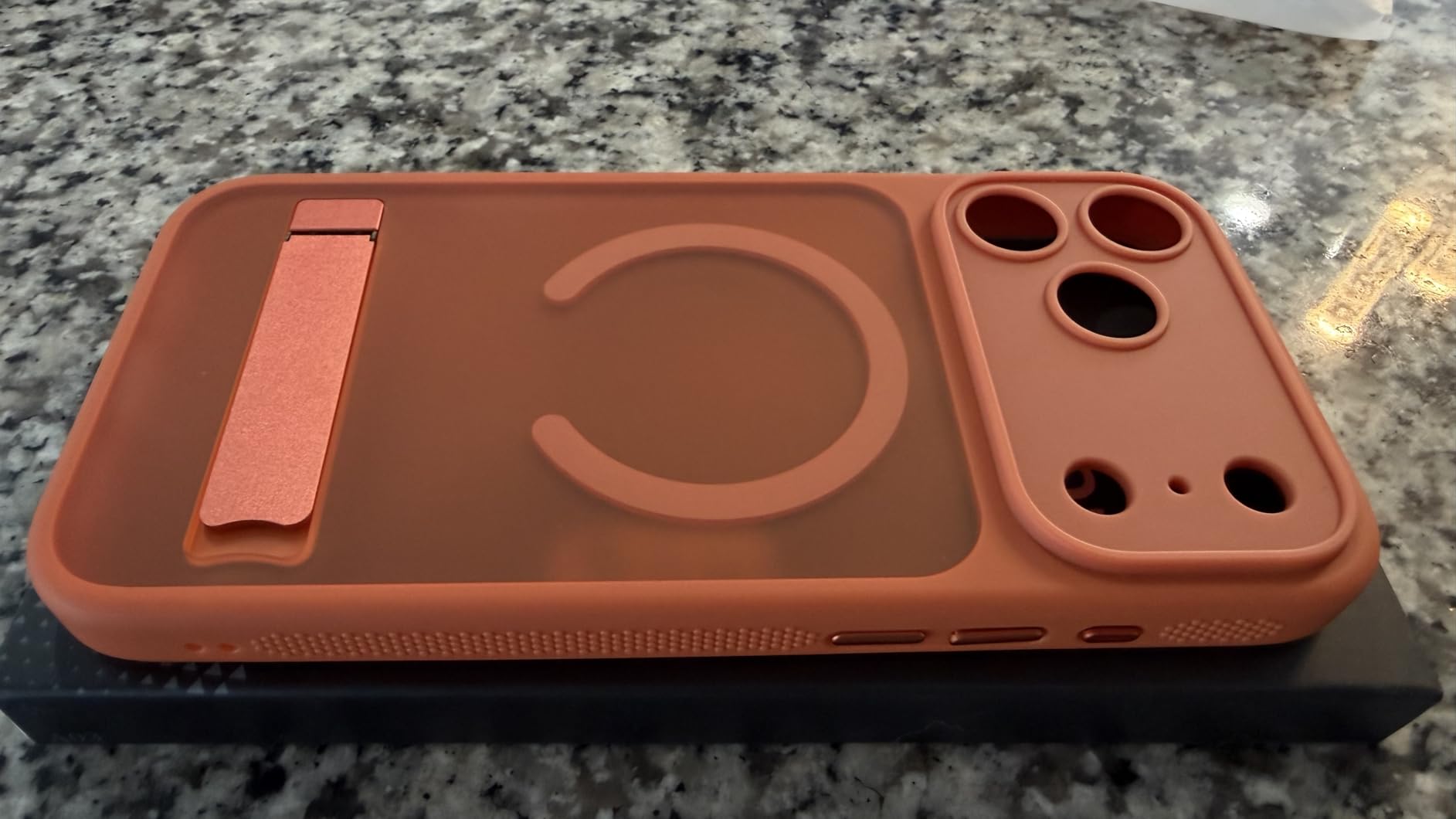
Propping up an iPhone has always required improvisation. A stack of books, a folded napkin, another phone—anything to create an angle for watching video or following a recipe hands-free. Cases with built-in kickstands eliminate the need for improvisation by integrating a fold-out stand directly into the case. The stand is always there, always ready, and for people who frequently watch video on their phone, this convenience is tangible.
The kickstand itself is usually a small panel that folds out from the back of the case, creating a wedge that props the phone at a viewing angle. Some designs offer adjustable angles. Others lock into a single position. The mechanism is simple, but simplicity doesn’t mean durability. The hinge—whether plastic or metal—is a moving part, and moving parts wear out. Over months of repeated use, the kickstand may loosen, requiring more force to lock into place, or it may stop locking altogether.

The case adds thickness. A phone that’s designed to be slim becomes noticeably bulkier with a kickstand-equipped case. For users who prioritize pocketability, this is a meaningful trade-off. The phone no longer slides easily into a jeans pocket. It creates a visible outline. The extra millimeters compound over the course of a day, becoming a low-level awareness that the phone is larger than it used to be.
MagSafe compatibility is another layer of consideration. The case needs to have magnets embedded in the right positions to work with MagSafe chargers and accessories. Some kickstand cases achieve this without issue. Others add so much material around the magnets that the magnetic pull is weakened, making wireless charging less reliable or causing the phone to slip off magnetic mounts. The kickstand solves one problem but potentially introduces another.
The translucent design is an aesthetic choice that attempts to preserve some of the iPhone’s original appearance. Instead of fully opaque plastic, the case is semi-transparent, allowing the phone’s color to show through. This works well with lighter iPhone colors but less so with darker ones, where the translucency often results in a murky, indistinct appearance. The visual compromise is minor, but for people who chose a specific iPhone color intentionally, obscuring that color feels like a loss.
Camera protection is usually adequate. A raised lip around the camera module prevents the lenses from touching flat surfaces when the phone is placed face-up. This is standard across most cases, but the degree of protection varies. Some cases add significant height around the cameras, creating a pronounced bump. Others keep the lip minimal, reducing bulk but offering less protection against direct impacts.
Previously listed at $24.99, current listings hover around $19.99, placing kickstand-equipped iPhone cases in the mid-tier of protective accessories. The pricing reflects the added complexity of the kickstand mechanism and MagSafe integration compared to simpler cases.
The broader question is whether the convenience of a built-in kickstand justifies the added bulk and mechanical complexity. For people who watch video on their phone daily—during meals, on public transit, in waiting rooms—the kickstand becomes essential. For others, the feature goes unused for weeks at a time, and the extra thickness feels like a cost without a corresponding benefit. The decision isn’t universal, and it often takes weeks of use to determine which side of that divide a user falls on.
"Note: Readers like you help support The Apple Tech. We may receive a affiliate commission when you purchase products mentioned on our website."






