

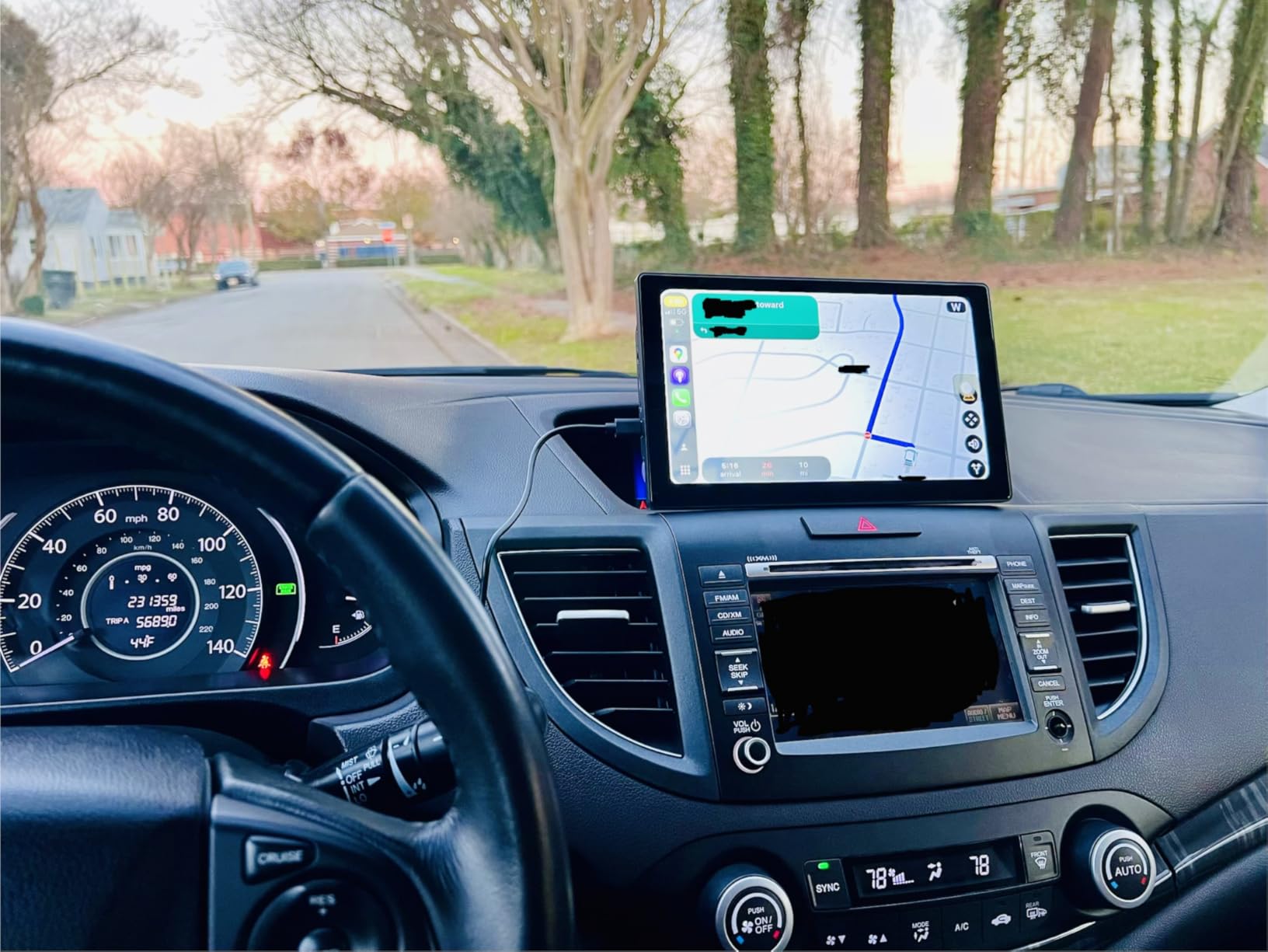
The expectation that CarPlay should be available in every vehicle has pushed drivers to retrofit older cars with portable displays rather than upgrade to newer models with built-in systems.
CarPlay transformed how iPhones integrate with vehicles, turning the car’s display into an extension of iOS. Navigation, music, messages, calls—everything routes through a familiar interface that mirrors the phone’s organization. For people who bought cars before CarPlay became standard, this integration doesn’t exist. The car has Bluetooth for calls and music, maybe a basic navigation system, but nothing that feels like the iPhone experience translated to the dashboard.
Upgrading to a newer car solely for CarPlay isn’t economically rational for most people. The car works fine mechanically, but the lack of CarPlay makes the entire driving experience feel outdated in a way that a dashboard screen can apparently fix. Portable aftermarket displays provide CarPlay functionality without requiring a new vehicle or permanent installation. They mount to the dashboard, connect wirelessly to the iPhone, and display CarPlay on a touchscreen that sits above or replaces the existing stereo area.
The installation is temporary. The display attaches with a suction mount or adhesive pad. Power comes from the cigarette lighter port. There’s no wiring through the dashboard, no replacement of the factory head unit. This makes the setup reversible and portable—you can move the display between vehicles or remove it entirely if you sell the car. The trade-off is that it looks aftermarket. There’s a visible screen sitting on top of the dash, cables running to power and possibly to a backup camera, and none of it integrates with the car’s original design.

Backup cameras extend the utility beyond CarPlay alone. Many aftermarket displays include their own camera that mounts on the rear bumper or license plate frame, providing a view that the car’s original equipment doesn’t offer. The camera feeds into the display, activating when the car shifts into reverse. This adds a safety feature that many older vehicles lack, addressing two functional gaps—CarPlay and a backup camera—with a single device.
Voice control through Siri becomes more viable with a dedicated CarPlay display. The iPhone can handle voice commands through Bluetooth audio, but having visual feedback on a larger screen makes the interaction clearer. You see the navigation route adjust, the message draft appear, the music playlist load. The screen provides confirmation that the voice command registered correctly, reducing the uncertainty that comes with audio-only interfaces while driving.
The wireless connection introduces latency that wired CarPlay doesn’t have. There’s a slight delay between tapping the screen and the iPhone responding, a brief lag when audio starts playing. This is noticeable but not debilitating—the system works, just not with the instantaneous responsiveness of a built-in factory system. The convenience of wireless setup offsets this for many users, but the lag remains a persistent reminder that you’re using an aftermarket solution.
Dash cam functionality bundled into the display addresses another concern that the iPhone and CarPlay don’t handle: continuous driving footage. The iPhone’s camera can record video, but it’s not designed to run continuously for hours while driving. The dash cam operates independently, recording the road ahead and storing footage to an SD card. If an incident occurs, the footage exists separate from the iPhone, which remains useful for navigation and communication rather than serving as a recording device.
Previously listed at $110, current listings hover around $66.49 for displays with wireless CarPlay, integrated dash cam, and backup camera compatibility. The price point positions these as viable alternatives to both factory-installed CarPlay systems in new cars and professional aftermarket installation in older vehicles. The result is a growing population of older cars with modern iOS integration, driven by users for whom CarPlay has shifted from a nice-to-have feature to an expectation that justifies bolting a third-party screen onto an otherwise functional dashboard.
"Note: Readers like you help support The Apple Tech. We may receive a affiliate commission when you purchase products mentioned on our website."






