The iPhone and iPad have eliminated SD card slots entirely, but photographers and content creators still rely on physical storage cards, creating a workflow gap that requires external hardware to close.
The iPhone doesn’t have an SD card slot. Neither does the iPad. Apple removed physical storage expansion years ago, betting that cloud storage would handle everything. For casual users, this works. Photos sync to iCloud. Documents live in the cloud. The device’s fixed storage feels sufficient because overflow happens invisibly, offloaded to remote servers.
Photographers encounter the limit immediately. A day of shooting produces twenty or thirty gigabytes of RAW files stored on the camera’s SD card. Those files need to transfer to the iPad for editing, or to the iPhone for quick review, or to a Mac for serious post-processing. The ecosystem assumes everything flows through iCloud, but a camera’s SD card represents hundreds of gigabytes that need to move quickly without consuming cellular data or waiting hours for upload.
External SD card readers became essential accessories the moment Apple eliminated built-in slots. The reader connects to the iPhone or iPad’s USB-C port, accepts the SD card, and allows Files app access to the card’s contents. You can copy photos directly to the device’s storage or to iCloud Drive, but either way, you’re managing the transfer manually. The seamlessness Apple promises for photo management—shoot on iPhone, see it everywhere instantly—doesn’t extend to cameras that aren’t iPhones.
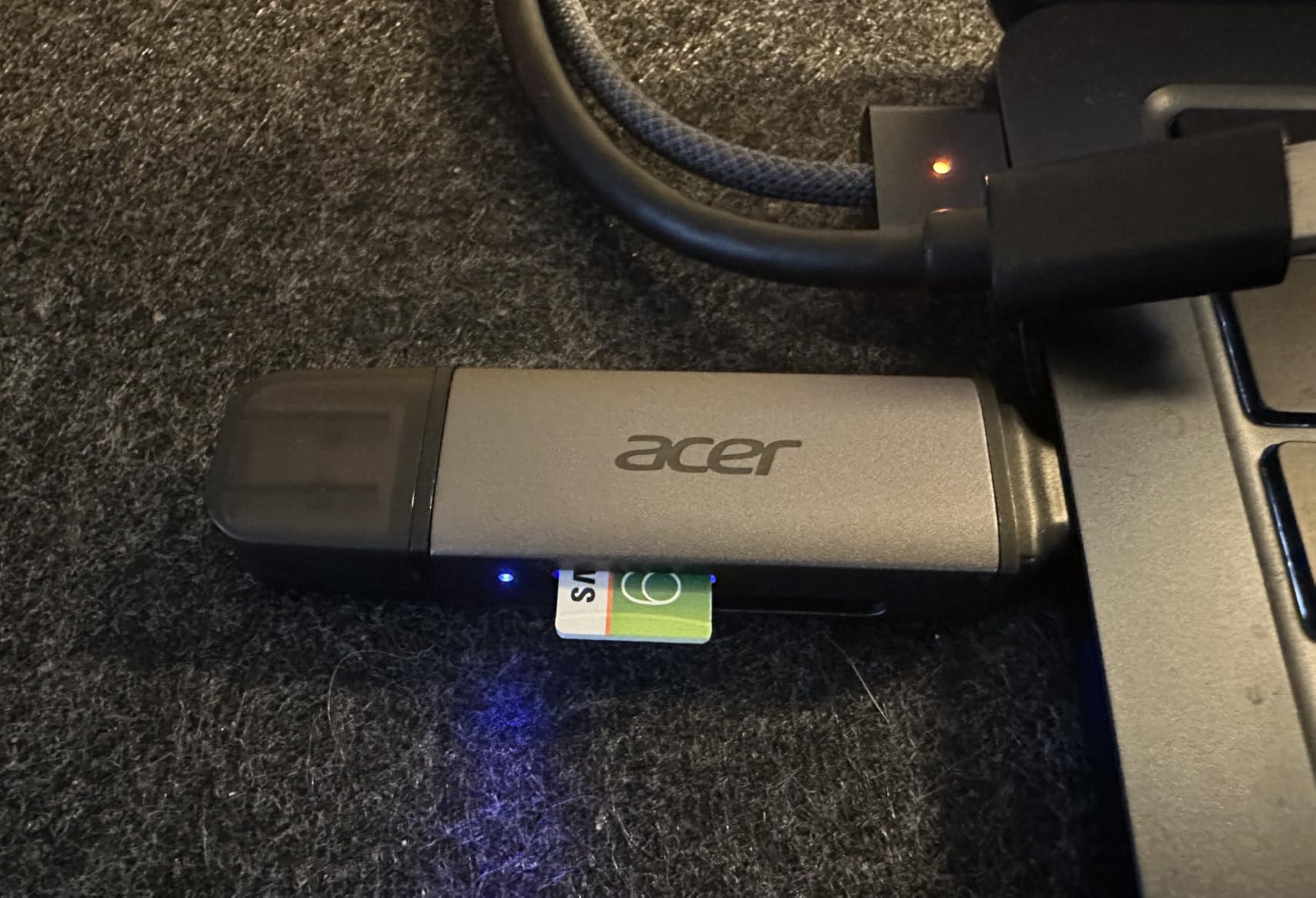
The Files app treats the SD card as an external volume, which means it’s only accessible while the reader is physically connected. You can’t browse the card’s contents after unplugging the reader. You can’t mark files for later transfer. The workflow requires keeping the reader connected, copying everything you need, then disconnecting. This is fine for occasional transfers but becomes tedious when you’re moving hundreds of files and need to work in batches to avoid filling the device’s storage.
Dual-slot readers that handle both SD and microSD cards address a compatibility range that spans professional cameras, drones, action cameras, and older devices. The iPhone user who shoots with a mirrorless camera might also have a drone with a microSD card, or a GoPro, or a Nintendo Switch. Each device uses a slightly different card format, and having a reader that handles both eliminates the need to carry multiple adapters.
Transfer speed determines how long you’re tethered to the reader. USB 3.0 offers significantly faster transfer rates than USB 2.0, which matters when you’re moving gigabytes of data. A twenty-gigabyte transfer might take three minutes over USB 3.0 or twenty minutes over USB 2.0. The difference compounds when you’re doing this repeatedly—after every shoot, every day, every project. The reader’s speed becomes part of your workflow rhythm, either a brief pause or a prolonged waiting period.
iCloud’s storage tiers don’t align well with professional media workflows. Fifty gigabytes is insufficient. Two hundred gigabytes fills quickly. Two terabytes is expensive and still might not be enough for video work. The alternative is managing storage locally, which means copying files from SD cards to the iPad or iPhone, then transferring them to an external SSD or a Mac when storage fills up. The reader is the bridge in this workflow, the point where physical media and Apple’s cloud-first ecosystem intersect awkwardly.
Previously listed at $13, current listings hover around $8.50 for dual-slot USB-C readers that work with iPhone, iPad, and Mac. The accessory exists because Apple designed its devices around cloud storage assumptions that don’t match how many users—particularly those creating large media files—actually work. The reader doesn’t integrate elegantly. It dangles from the device, requires manual file management, and introduces friction that Apple’s ecosystem typically tries to eliminate. But it remains necessary, a hardware workaround for a design philosophy that removed physical storage expansion without fully replacing it with a cloud alternative that works for every use case.
"Note: Readers like you help support The Apple Tech. We may receive a affiliate commission when you purchase products mentioned on our website."