When iPad is marketed, it’s often shown resting flat on a table or propped at a shallow angle with a keyboard case. That positioning works for short tasks—checking email, signing a document, watching a quick video. But for users who’ve shifted significant work or creative tasks to iPad, the flat orientation quickly becomes uncomfortable. The neck tilts downward, the shoulders hunch forward, and after an hour or two, the physical cost of poor viewing angle becomes undeniable.
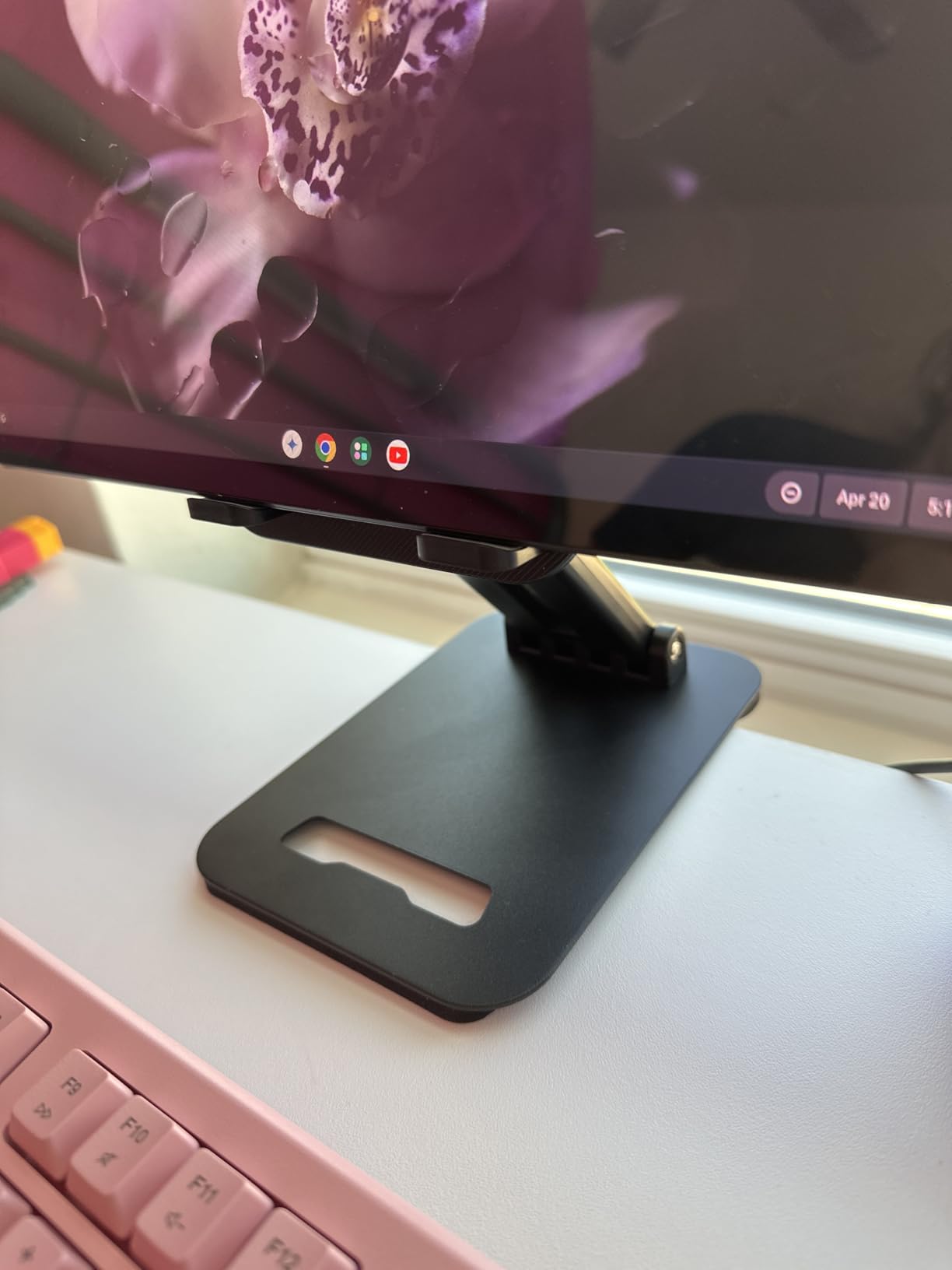
This has led to a behavioral shift toward dedicated stands that hold iPad at steeper angles, closer to vertical. The goal isn’t to mimic a laptop—it’s to position the screen at a height where the user’s gaze is level rather than downward. The assumption that iPad would rest flat on a desk has been replaced by the realization that sustained use requires elevation.
What’s notable is how little guidance iPadOS provides around this. There’s no accessibility feature that reminds users to adjust their viewing angle. No suggested orientation based on how long the screen has been active. The software assumes the hardware will be positioned correctly, but most people don’t consider ergonomics until discomfort forces the issue. By then, poor posture has already become habit.
The stands that address this friction tend to be simple—metal or plastic frames with adjustable angles and rubber grips to prevent sliding. They’re not designed to be portable or particularly elegant. They’re designed to hold the iPad at a fixed position for hours at a time, which means stability matters more than aesthetics. The device sits in the stand and stays there throughout the workday, lifted to a height that reduces strain.
This behavior is especially common among users who’ve adopted iPad as their primary device for tasks that were once MacBook territory—writing, spreadsheet work, video editing. These workflows involve extended focus periods where the screen is the center of attention for long stretches. Flat placement on a desk worked when iPad was a secondary device picked up occasionally. It doesn’t work when iPad becomes the anchor of the workspace.
SIMILAR
iPhone and MacBook users are compensating for a port problem Apple created
iPhone users are eliminating the tangled cable from every car charging session
iPhone users are transforming nightstands into silent charging infrastructure
Creative work has also driven this shift. Digital artists using Apple Pencil often switch between drawing at a shallow angle and reviewing work at a steeper angle. A stand that adjusts easily between positions accommodates both modes without requiring the user to constantly reposition the iPad manually. The stand becomes an extension of the workflow, not just a place to rest the device.
What this reflects is a tension between how Apple designs iPad and how people actually use it for sustained work. The device was built to be flexible—handheld, propped, flat, vertical—but that flexibility assumes the user will actively manage positioning throughout the day. In practice, most people want to set the iPad at a comfortable angle once and leave it there. The stand solves the problem Apple didn’t explicitly design for: making iPad viable as a desk-based work device rather than a portable one that occasionally lands on a desk.
Adjustable iPad stands with wide bases, anti-slip grips, and support for viewing angles up to near-vertical are currently available around $10, reflecting a market where prolonged desk use of iPad has created ergonomic friction that the device’s native design doesn’t address on its own.
"Note: Readers like you help support The Apple Tech. We may receive a affiliate commission when you purchase products mentioned on our website."