

For many years, the quintessential Apple setup leaned into minimalism: a MacBook, perhaps an external display, and then the familiar Magic Keyboard and Magic Mouse. This arrangement, often wireless and aesthetically subdued, encouraged a particular kind of desk tranquility. It was an ecosystem designed for a certain visual and operational harmony, fostering habits of uncluttered surfaces and devices that seamlessly dissolved into the background.
Yet, the landscape of personal computing, even within the Apple orbit, is rarely static. New needs emerge, often driven by specific professional demands or, increasingly, by the distinct requirements of digital recreation. It is in this evolving space that one observes a subtle but significant behavioral adaptation: the integration of specialized, often non-Apple peripherals into what was once a uniformly Cupertino-centric domain.
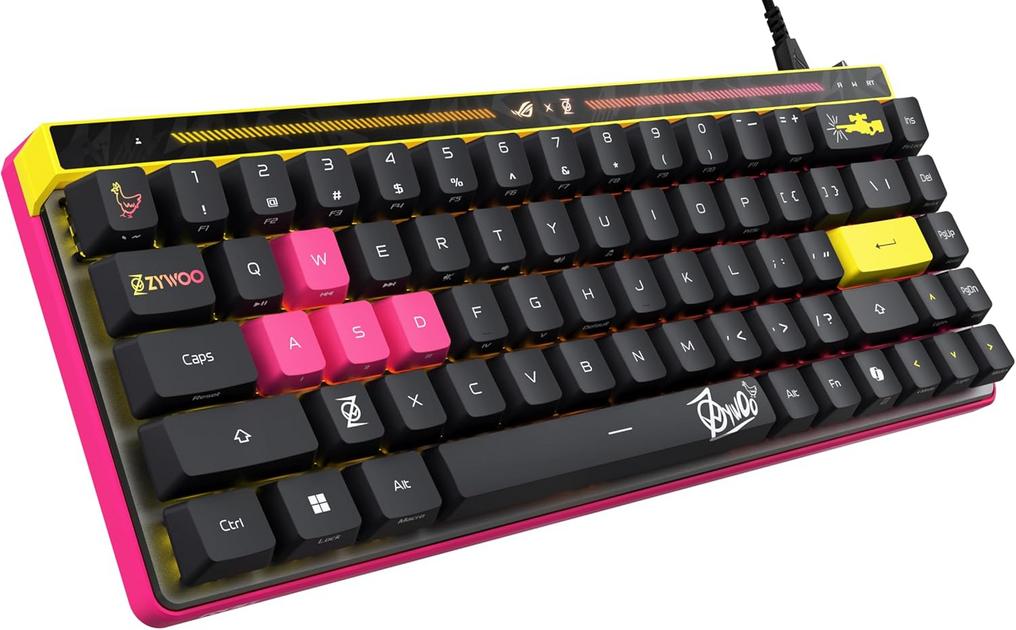
Consider the arrival of a dedicated input device, a high-performance wired keyboard, onto a desk usually dominated by an iPad Pro or MacBook Air. This isn’t merely a swap; it’s an introduction of a foreign element, one that immediately challenges established routines. The first observation might be the cabling. Where once only a single USB-C cable might have snaked from a MacBook to an external monitor, now a dedicated, robust cable connects this specialized keyboard. This necessitates a subtle but definite reorganization of desk real estate, a new path for a wire that must coexist with charging cables for an iPhone, or the coiled lead for an Apple Watch dock.
The very presence of a wired device creates a different psychological rhythm. In a world increasingly defined by wireless convenience, from AirPods that disappear into pockets to MagSafe chargers that click into place, a permanent wired connection grounds the user to a specific spot. There’s no casual relocation of the keyboard to the sofa; it lives on the desk, a fixed point in a largely fluid digital environment. This commitment, in turn, can subtly alter how a user positions their MacBook or iPad, perhaps nudging it further back to accommodate the keyboard’s footprint, or ensuring that the dual USB-C connections are always accessible.
Battery anxiety, a common undercurrent in the lives of Apple users, takes on an interesting dimension here. While the specialized keyboard itself draws power via its USB-C connection, freeing the user from another charging cycle, this liberation often comes at the cost of a precious port on a MacBook. This prompts a recurring micro-decision: which device takes priority for the limited high-speed ports? Is it the external SSD for a creative project, the second monitor, or the specialized keyboard? These small, almost imperceptible choices become normalized, woven into the fabric of the daily workflow.
One notices the care afforded to such a specialized tool. The presence of a protective cover for a gaming keyboard, for instance, isn’t just about safeguarding the device itself. It reflects a broader user habit of preserving their valuable technology, a care that extends to the meticulously wiped screen of an iPhone or the precisely placed AirPods case. It underscores an underlying human inclination to maintain the tools that facilitate both work and leisure, integrating these protective rituals into the daily ebb and flow of device interaction.
These quiet adaptations are rarely consciously chosen as “new habits.” Instead, they emerge organically from necessity, a slow recalibration of how physical space, digital demands, and personal preferences intersect. The user doesn’t set out to change their desk organization; they simply find themselves adjusting their MacBook’s position, or rerouting a cable, in response to the demands of a new, highly specific tool.
Recent listings reflect reductions compared with earlier availability for similar specialized input devices, a quiet nod to their evolving presence in the broader tech landscape.
"Note: Readers like you help support The Apple Tech. We may receive a affiliate commission when you purchase products mentioned on our website."






