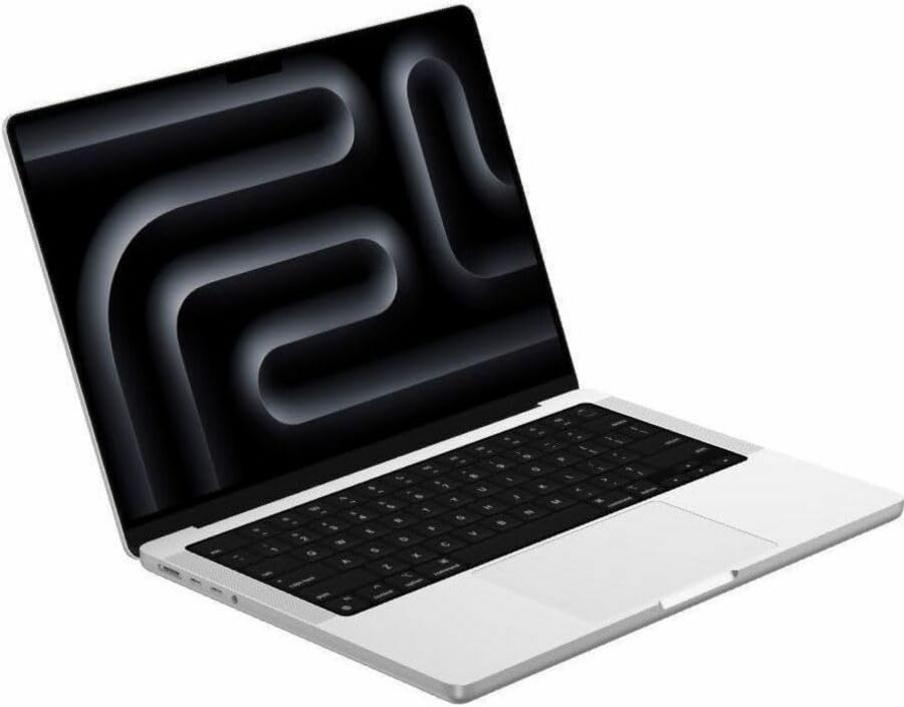
As the silver M5 MacBook Pro slides onto your desk, it nudges a familiar nightly rhythm. The shift underscores how a single device quietly redefines when and where we plug in.
“It was only when I hesitated before plugging in at my desk that I noticed how ingrained the routine had become.”
When the silver M5 MacBook Pro first took its place on my desk, it was less about raw performance and more about how it nested into existing workflows. Its slender profile demanded a new spot next to a stack of notebooks and the tangle of cables I had long ignored. Over the first mornings, the device did not announce itself in notifications or startup chimes—it insinuated itself in the way my fingers hovered over its keyboard and in small glances toward its magnetic charging port.
Over time, the desk felt subtly reconfigured around that magnetic connector. I began to shift the clutter of headphones and chargers to make room, not out of conscious design but from a desire to avoid any moment of search or hesitation. The cable, with its familiar click, became a pivotal point in the morning routine. Even without a deadline or meeting, the act of docking the MacBook signaled a transition from idle browsing to focused work.
Late at night, the room darkened except for the faint glow of the MacBook’s status light. Half asleep, I found myself reaching for its cable on the nightstand rather than the one I had used for my phone. The cool metal of the connector brushed against my palm before snapping into place. In that moment, what once felt temporary revealed itself as habitual—an adjustment so slight I almost missed how, night after night, it reshaped my bedtime rhythm.
On a recent trip, the MacBook Pro’s weight and dimensions prompted a quick rearrangement of my bag. I slid out a paperback and made space for an extra cable tucked into a side pocket. When passing through airport security, I hesitated before unlatching the zipper, almost expecting to lift the silver surface before the other items. That brief pause underscored how a single device can recalibrate assumptions about what deserves priority in a journey.
A few hours into a work session, a glance at the menu bar became as habitual as reaching for coffee. Watching the percentage tick down by increments of seven or five felt strangely comforting, a low-stakes barometer of progress rather than scarcity. Sometimes I paused mid-sentence to connect the charger, not out of necessity but to align with an internal cadence I had unwittingly adopted. These micro-decisions blurred the line between battery anxiety and routine awareness.
In the broader Apple ecosystem, this kind of minute adjustment is both ubiquitous and invisible. A tablet on a stand, earbuds charging on a mat, and a laptop tethered by a magnetic cord—they all converge in a quiet choreography. Online, recent listings of the silver M5 model reflect a 9% reduction compared with earlier availability. Yet the most telling shift remains the way routines bend around these devices, shaping the architecture of attention more than any technical benchmark ever could.
This product has recently appeared more often in conversations around portable Apple setups and everyday charging routines.
Check current availability here
Does the MacBook Pro M5 support both MagSafe and USB-C charging?
The M5 MacBook Pro includes a MagSafe 3 connector and two Thunderbolt 4 (USB-C) ports, both capable of delivering power to the battery.
How can I monitor battery health during everyday use?
In macOS System Settings, the Battery section displays maximum capacity and charging cycles, offering insight without additional software.
Will frequent top-up charges affect battery longevity?
Occasional top-ups keep the battery between optimal thresholds, and avoiding full drains or constant 100% states can help minimize long-term wear.
What impact does MagSafe have on cable placement at a workstation?
MagSafe’s magnetic attachment encourages positioning cables near desk edges for quick docking, subtly altering how users organize their workspace.
Verdict
After integrating the 1TB silver MacBook Pro into daily routines, the act of charging has morphed from a brief chore into a subtle, ongoing dialogue with workspace habits. Afternoon pauses to check battery percentages have become as automatic as tea breaks, and magnetic connectors sit ready near desk edges long before depletion. Observing these low-level adaptations highlights how a single device can recalibrate small behaviors, quietly marking the boundaries of our digital day.
"Note: Readers like you help support The Apple Tech. We may receive a affiliate commission when you purchase products mentioned on our website."