


As workflows layer more applications, reference materials, and communication tools simultaneously, the MacBook’s built-in display has become a launchpad rather than a complete workspace.
You’re working on a presentation, referencing a spreadsheet, monitoring Slack, and keeping an eye on email. On a single MacBook display, this means constant window-switching. Cmd-Tab becomes muscle memory. You’re toggling between apps dozens of times an hour, losing context with each switch, reorienting yourself to what was on screen before you switched away.
The cognitive load of this workflow is higher than it seems. Every time you switch windows, there’s a small friction cost—finding where you left off, remembering what you were about to do, re-reading the last few lines to regain context. These micro-interruptions accumulate. They don’t feel significant in the moment, but over eight hours, they add up to substantial efficiency loss and mental fatigue.
Adding a single external display helps, but it doesn’t solve the core problem. Now you have two spaces instead of one, which means you can keep Slack and email visible on one screen while working on the other. But if your work involves comparing multiple documents, or referencing data while writing, or monitoring dashboards while coding, two screens still isn’t enough. You’re still switching. You’re still losing context.
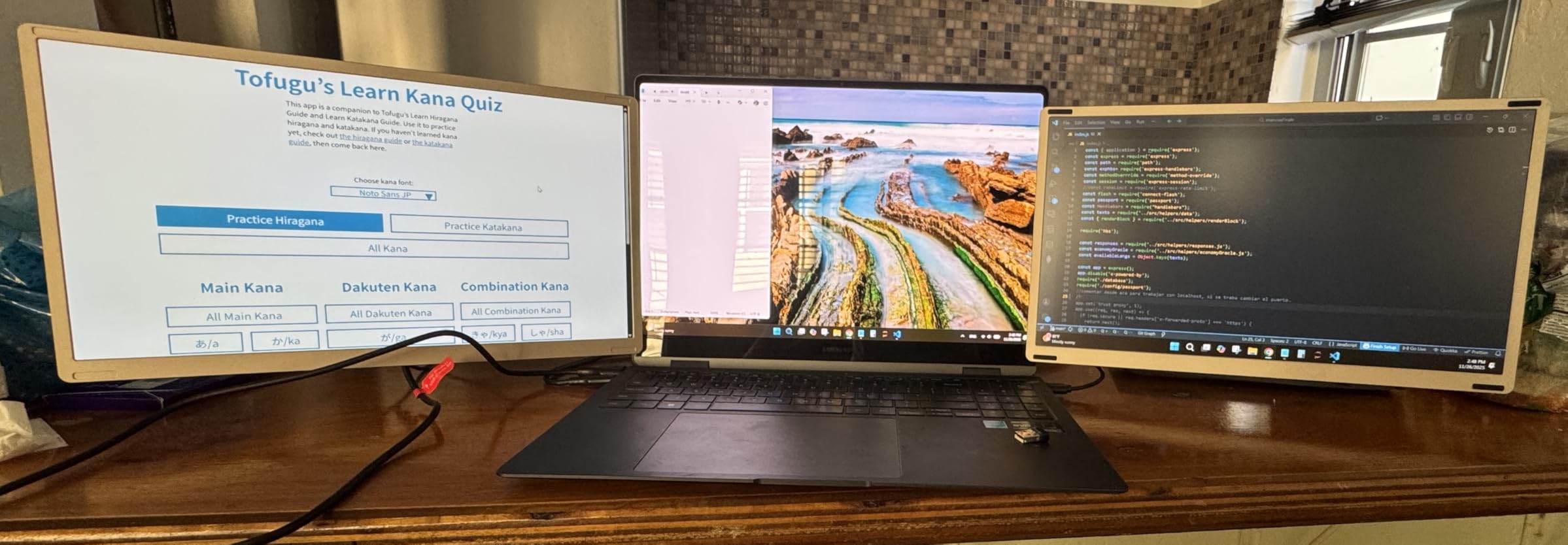
Multi-display setups push this further. Three or four screens arranged around the MacBook create a workspace where everything can be visible simultaneously. The presentation draft on one display, the source data on another, communication tools on a third, reference materials on a fourth. The laptop screen becomes the control center, but the actual work—the documents, the data, the comparisons—migrates to the external displays where there’s room to see everything at once.
Apple’s ecosystem has historically optimized for portability over desk-bound productivity. The MacBook is designed to work well on a lap, in a café, on a plane. Adding external displays is possible, but it’s not the primary use case Apple designs for. This creates tension for users whose work demands screen real estate that a single laptop can’t provide. The MacBook is capable of driving multiple displays, but the setup feels like you’re working around the device’s intended use rather than within it.
Cable management becomes a secondary problem. Each additional display requires power, a video connection, and often USB peripherals. The clean aesthetic of a minimal desk setup disappears under a tangle of cables converging on the MacBook. Some setups consolidate this through docking stations, but that introduces another device, another point of failure, another thing to troubleshoot when connections drop.
There’s also a portability tradeoff. A multi-display setup is stationary by definition. You can disconnect the MacBook and take it elsewhere, but rebuilding the workspace when you return means reconnecting everything, rearranging windows, and re-establishing the layout. The more complex the setup, the higher the friction of mobility. Some users accept this and treat the desk as a permanent workspace. Others find the constant setup and teardown exhausting enough that they stick with fewer displays, even if it means sacrificing productivity.
The economics have shifted as display prices have dropped. What used to require a significant investment now costs less than a high-end iPad. Previously listed at $700, current listings hover around $350 (CODE PBOJ9UWE) for triple-display configurations that work with macOS. The barrier isn’t cost anymore—it’s desk space, cable management, and the willingness to trade portability for workspace density. For users whose work genuinely benefits from seeing everything at once, that trade has already been made. For everyone else, the MacBook’s built-in display remains sufficient, not because it’s ideal, but because the complexity of expansion isn’t worth the marginal gain.
"Note: Readers like you help support The Apple Tech. We may receive a affiliate commission when you purchase products mentioned on our website."






