


The promise of an external monitor was straightforward: more screen space, less squinting, better focus. What many MacBook users didn’t anticipate was that plugging in a larger display would immediately expose how poorly standard desks accommodate sustained eye-level viewing. The monitor sits too low. The laptop sits even lower. The neck tilts downward for hours, and the discomfort accumulates slowly enough that it doesn’t register as a setup problem until weeks later.
This has led to a behavioral shift that’s less about upgrading hardware and more about rethinking desk ergonomics. Users who spent years working directly on their MacBook without issue suddenly find themselves needing to elevate everything once an external display enters the workflow. The monitor sits at the wrong height, and the body adjusts rather than the furniture.
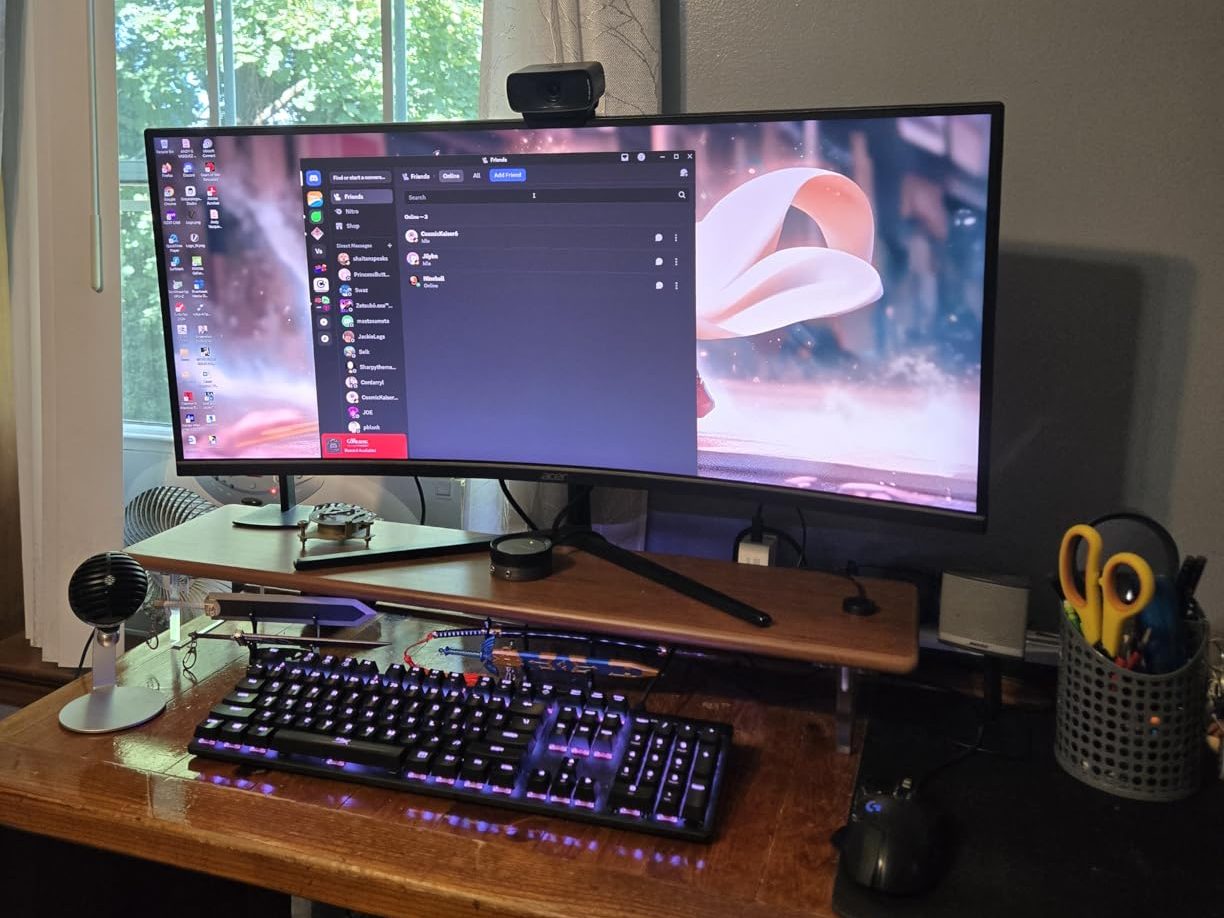
Risers designed to lift monitors and laptops into a more neutral viewing plane have become common not because they’re new, but because the need for them wasn’t obvious until remote work made long desk sessions the default. Before that, many people worked in short bursts or moved between locations frequently enough that poor ergonomics didn’t accumulate into chronic strain. Now, the same desk gets used for eight or ten hours straight, and the physical consequences of misaligned screens become harder to ignore.
What’s revealing is how little guidance macOS provides on this front. There’s no system setting that suggests optimal screen placement. No notification that reminds users to adjust their posture. The software assumes the hardware will be positioned correctly, but most people don’t think about monitor height until their neck starts hurting. By then, the habit of looking downward has already been established.
The materials used in these risers reflect a shift toward permanent desk fixtures rather than temporary solutions. Bamboo, tempered glass, metal frames—these aren’t products designed to be moved around. They’re meant to stay in place, holding monitors and laptops at a fixed height that aligns with seated eye level. The aesthetic is minimal, often matching the visual language of Apple hardware, which suggests that users see them as extensions of their MacBook setup rather than aftermarket corrections.
SIMILAR
iPhone and MacBook users are compensating for a port problem Apple created
iPhone users are eliminating the tangled cable from every car charging session
iPhone users are transforming nightstands into silent charging infrastructure
The friction isn’t just physical. It’s also spatial. Elevating a monitor means the desk surface underneath becomes usable storage, which changes how people organize their workspace. Keyboards, notepads, and charging cables migrate beneath the riser. The desk becomes layered rather than flat. For some users, this feels like an improvement. For others, it introduces clutter that wasn’t there before.
What this reflects is a gap between how Apple designs for mobility and how people actually use MacBook setups when stationary. The laptop was built to be portable, used in varied environments, held at different angles. But once it’s tethered to an external monitor and left on a desk for hours at a time, it becomes subject to the same ergonomic rules as any desktop workstation. Apple hasn’t addressed this directly, leaving users to solve the problem themselves through furniture adjustments rather than software or hardware design.
Bamboo monitor risers spanning over 30 inches, often with transparent acrylic legs and support for multiple devices, are currently available around $66, reflecting a market that exists because standard desk height and MacBook workflows no longer align once external displays are involved.
"Note: Readers like you help support The Apple Tech. We may receive a affiliate commission when you purchase products mentioned on our website."






