

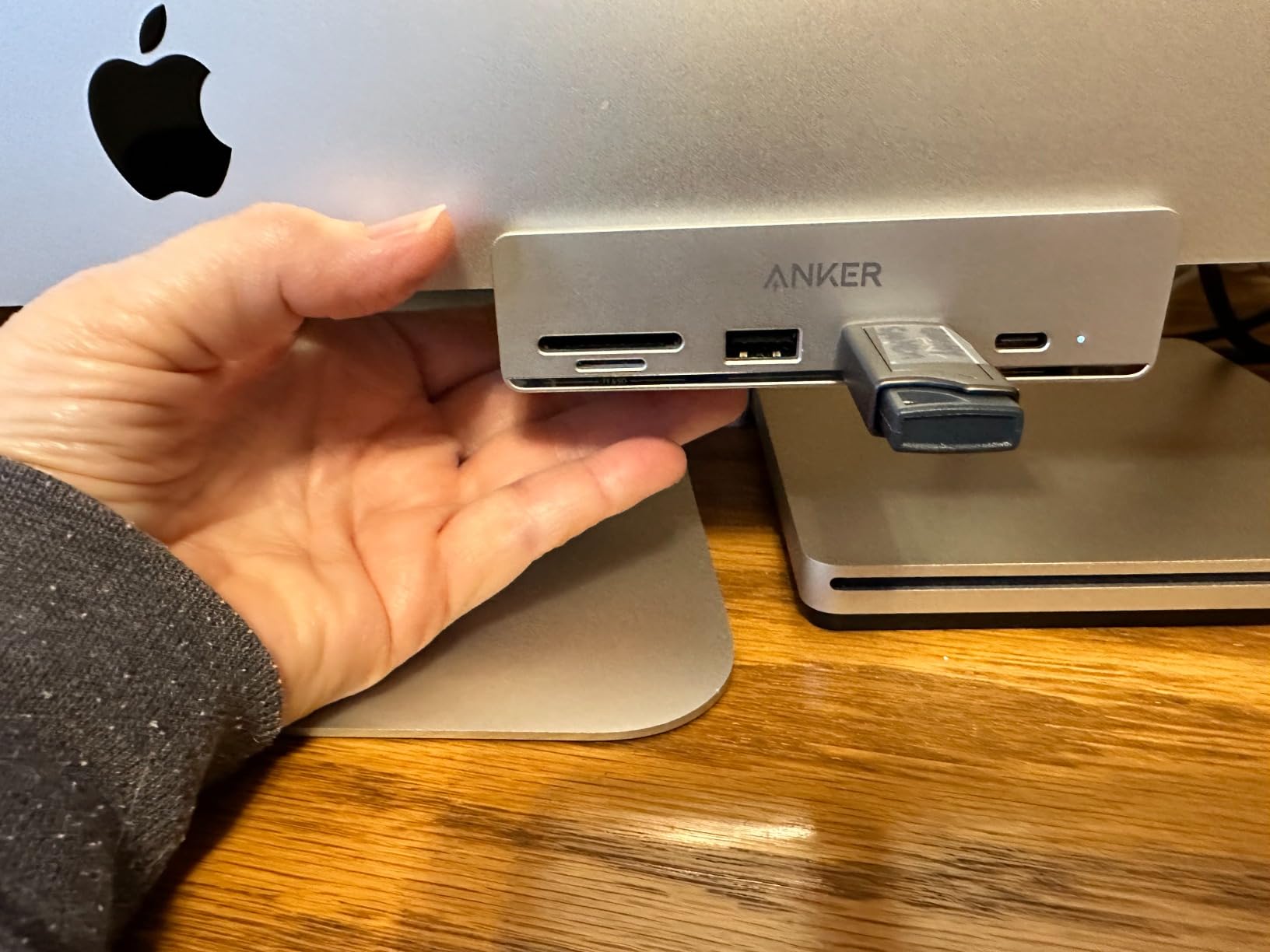
Apple’s transition to USB-C simplified cable standards but created a new problem—iMacs don’t have enough ports for the peripherals people actually use daily, forcing constant plug-swapping or hub investment.
The 24-inch iMac launched with a clean aesthetic and USB-C ports across the board. No legacy USB-A. No SD card slot. Just USB-C, with the assumption that users would adapt their peripherals or use adapters as needed. This works in theory. In practice, it means constantly evaluating which devices deserve permanent connection and which get unplugged when something else needs the port.
The iMac has four USB-C ports, which sounds like enough until you account for the display, the external drive, the SD card reader, the microphone, and the occasional phone that needs charging. Some of these are permanent—the drive stays connected for Time Machine backups, the microphone for calls and recording. Others are transient—the SD card reader appears when you need to transfer photos, then gets unplugged. The mental load of managing this rotation is low-grade but persistent.
External hubs consolidate multiple connections into a single port, effectively multiplying the iMac’s connectivity at the cost of desk space and an additional cable. The hub plugs into one USB-C port and provides five or six or ten additional ports—USB-A for older peripherals, USB-C for newer ones, SD and microSD card slots for cameras and storage. The iMac’s four ports become functionally eight or twelve, which eliminates most plug-swapping but introduces a new device into the setup.
Data transfer speed becomes critical when the hub mediates access to external storage or card readers. USB 3.0 offers 5Gbps. USB 3.1 Gen 2 doubles that to 10Gbps. The hub’s chipset determines whether it can handle full-speed transfers across multiple ports simultaneously or whether connecting several devices causes bottlenecks. This matters most when copying large files from an SD card to an external drive while also using USB peripherals—if the hub can’t manage the bandwidth, everything slows down.
SD card slots on external hubs resurrect functionality Apple removed from the iMac years ago. Professional photographers and videographers never stopped using SD cards, but they’ve had to carry dongles or dedicated card readers to access them on modern Macs. Building the slot into a hub that’s already connected to the iMac eliminates one more adapter, one more thing to lose, one more step in the workflow between camera and computer.

The hub becomes permanent desk infrastructure. It sits next to the iMac, cables radiating from it to various peripherals, transforming a minimalist setup into something more cluttered but significantly more functional. Apple’s design philosophy favors clean lines and wireless where possible, but work that involves constant file transfers, multiple storage devices, and legacy peripherals doesn’t accommodate wireless well. The hub is a concession to practicality.
Power delivery through the hub adds complexity. Some hubs can charge connected devices, including the iMac itself if they support sufficient wattage. Others pass data but not power, which means devices still need their own power sources. The distinction isn’t always obvious from product descriptions, and discovering that a hub can’t charge your iPad while transferring files from it requires troubleshooting that interrupts the workflow the hub was supposed to streamline.
Previously listed at $40, current listings hover around $22 for five-port hubs with high-speed data transfer and card reader integration. The price point reflects the market’s acknowledgment that iMac connectivity is insufficient for real-world use. The hub isn’t an upgrade or an enhancement—it’s a necessity for users whose work demands more ports than Apple provides. The iMac’s elegant design assumes a future where everything is wireless or consolidated, but that future hasn’t arrived, and the hub is the bridge between Apple’s vision and the present-day reality of peripheral-dependent workflows.
"Note: Readers like you help support The Apple Tech. We may receive a affiliate commission when you purchase products mentioned on our website."



